
Time-off coordination
Home care employees may email their manager, text a scheduler, or submit a separate form for time off. Each request still needs a decision and a schedule update in AlayaCare.
When those steps get separated, an approval can go missing, a scheduler can assign someone who's away, or teams can double-book coverage across tools. Agencies we've audited spent two to four hours per week reconciling requests, with missed schedule blocks sometimes costing billable visits.
Approval workflow
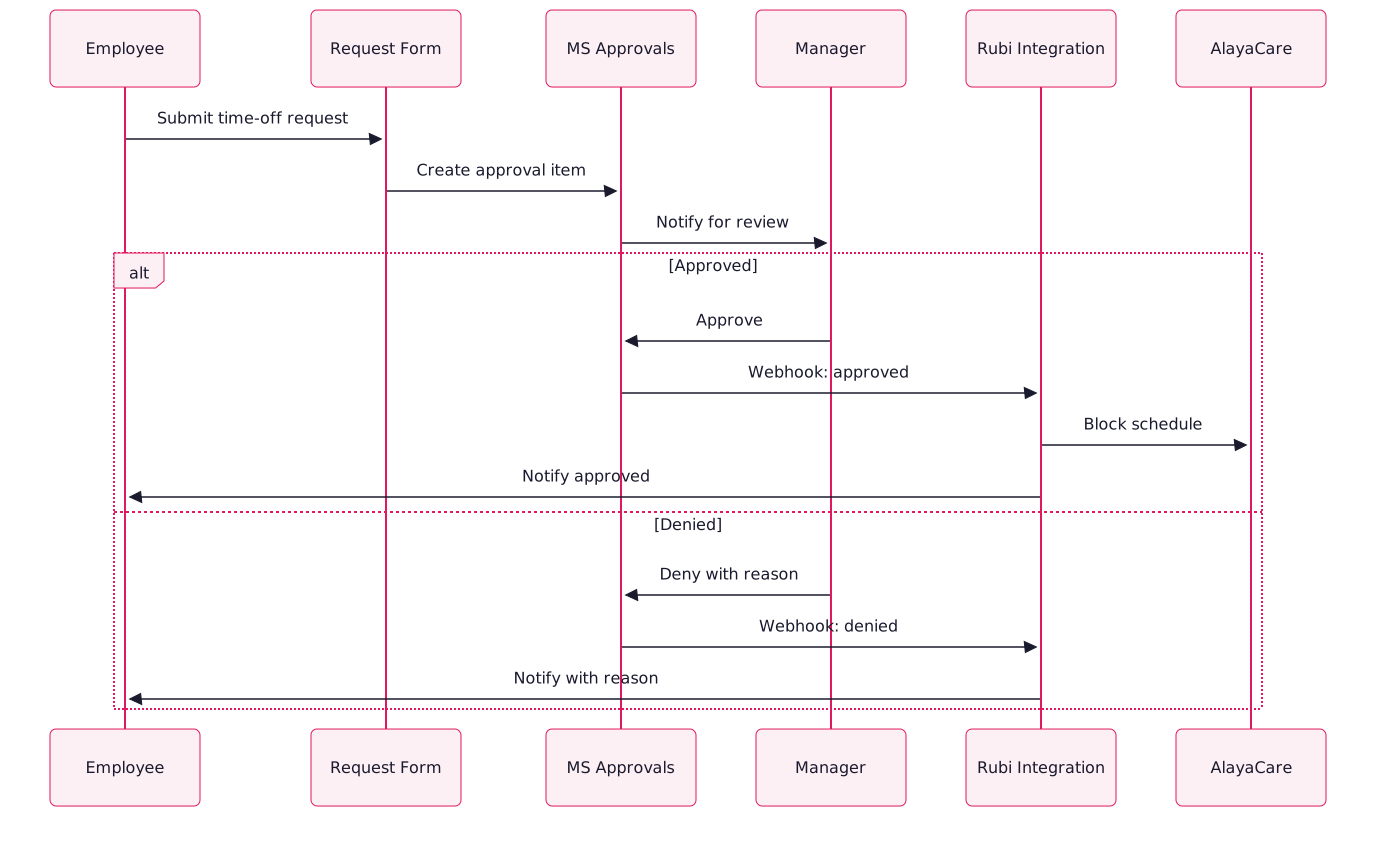
Employees request time off through Microsoft Forms, Cognito Forms, or a similar tool. The manager reviews it in Microsoft Approvals. Once approved, the Rubi integration blocks availability in AlayaCare and notifies the employee.
Workflow features
- Structured form submission: Validate dates, leave reason, and required documents as the employee enters them.
- Routed to the right approver: Use the manager of record in the AlayaCare hierarchy.
- One-tap approval: Managers can respond in Teams on mobile, by email, or from desktop.
- Automatic AlayaCare scheduling: Block the dates approved by the manager so schedulers see the employee is unavailable.
- Denial with reason: Notify the employee and include the manager's reason.
- Audit trail: Record each request, approval, denial, and schedule change with the person and timestamp.
Setup and supported leave
FAQs
Use Google Forms with native notifications or a third-party approval add-on. The AlayaCare write-back stays the same.
Yes. You can require an attachment, such as a doctor's note, obituary, or legal document. The workflow stores it with the request for audit.
Yes. The form captures start and end times and applies an hourly block to overlapping shifts in AlayaCare.